Find the repeats.
See similar photos together and keep the ones you love most.
Similar photosYour camera roll is full of life.
Keep the good stuff. Make room for more.
01 / A LIGHTER LIBRARY
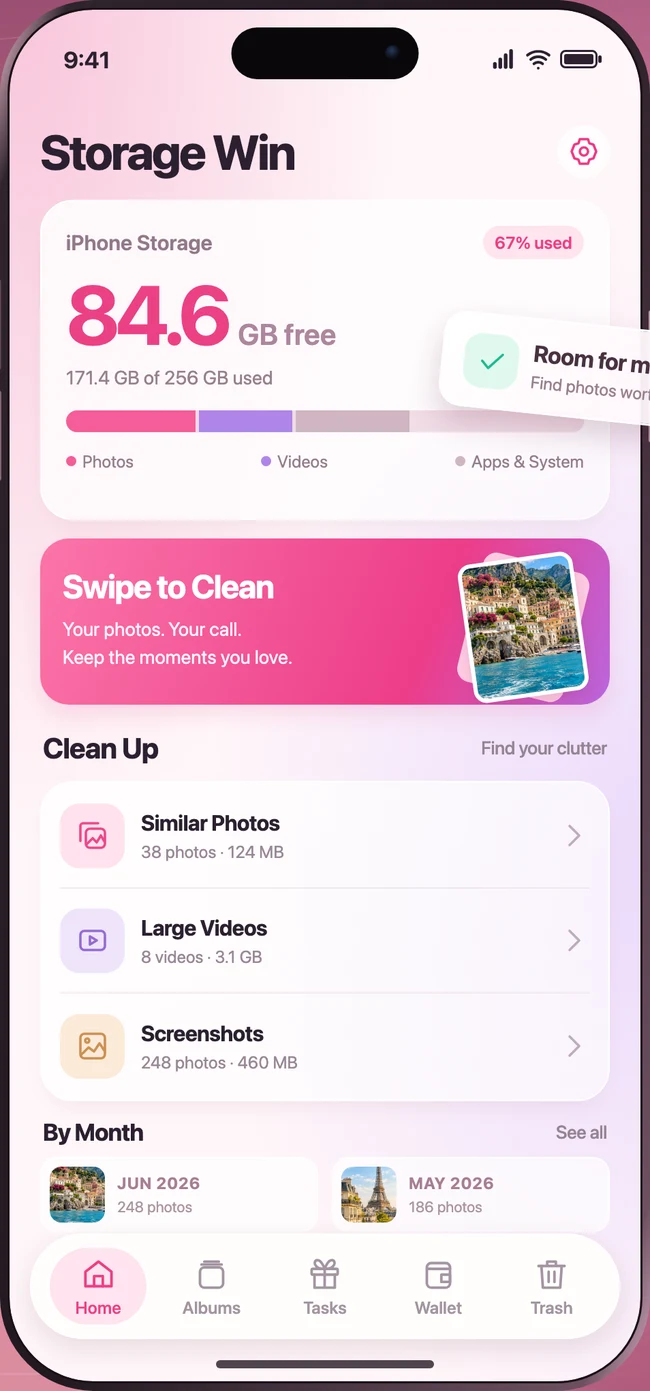
Near-identical shots. Old screenshots. Oversized videos. Find what’s taking up space, and decide what stays.
See similar photos together and keep the ones you love most.
Similar photosFind large videos and review the files that make a difference.
Large filesSort screenshots and revisit your library one month at a time.
Screenshots & monthsTry a swipe. These are sample photos.
02 / SWIPE TO CLEAN
Give every photo a quick yes or no. Swipe right for the keepers, left for the extras. It’s your camera roll, with a little more breathing room.
A second look, before goodbye.
Undo a swipe or review your Trash before confirming deletion.
03 / TRAVEL ALBUMS
From a weekend away to the trip of a lifetime. Rediscover your adventures, automatically grouped by place and date.
Amalfi Coast
Paris
Swiss Alps
Your adventures deserve more than a place in the scroll.
GOOD TO KNOW
Your photos are personal.
Your choices should be simple.
Storage Win helps you review similar photos, screenshots, low-quality shots and large videos in your photo library. You can also work through photos by month. It manages your photos and videos; it doesn’t clear other apps’ caches or iOS system files.
No. Swiping left puts the photo in Storage Win’s Trash for review. You can undo your swipe or restore a photo before you confirm deletion.
Storage Win uses the dates and available location information in your photos to group trips. You can browse a trip by day and save it as an album. Photos need location information for place-based grouping.
Yes. You choose which photos Storage Win can access through iOS permissions, and you can change that access in your iPhone’s Settings. Photo analysis and trip grouping are performed on your device.
Storage Win is designed for iPhone running iOS 16 or later.

A LITTLE LESS CLUTTER. A LITTLE MORE YOU.
Thoughtfully made for your iPhone.
CONTACT